Manual Installation
Frame.Ego is now available on the Chrome Web Store! For those who prefer the traditional way, manual installation is still supported.
1 Download the Extension
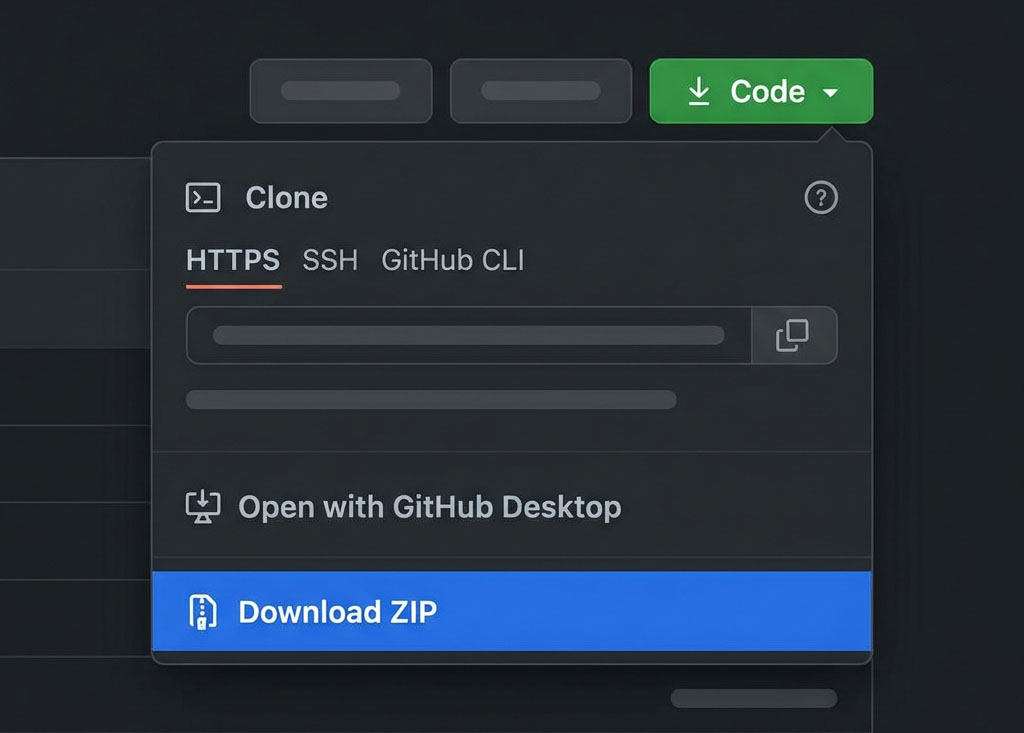
Visit our GitHub repository. Click the green "Code" button and then "Download ZIP".
2 Extract the Files
Locate the downloaded FrameEgo-main.zip
file and extract its contents to a folder on your computer.
3 Open Chrome Extensions
Open Google Chrome and navigate to the Extensions page by typing this in your address bar:
4 Enable Developer Mode
Look for the Developer mode toggle in the top right corner and switch it ON.
5 Load Unpacked
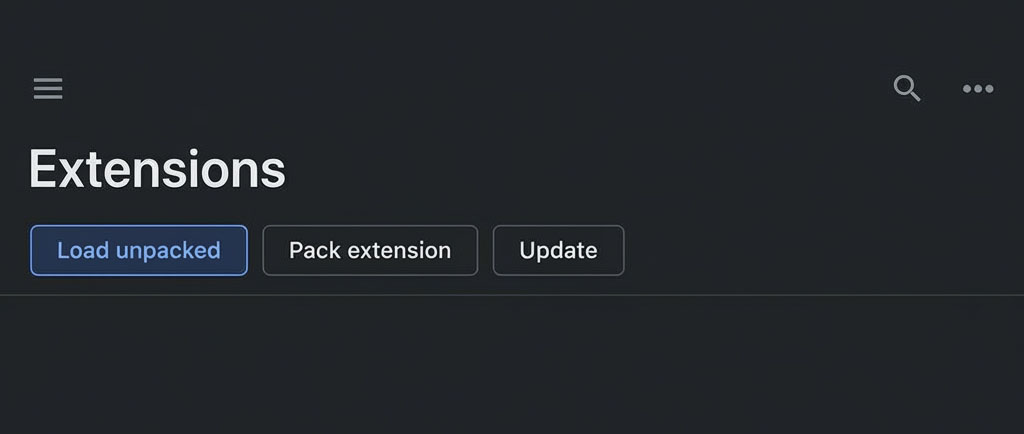
Click the Load unpacked button that appears at the top left of the page, and select the folder you extracted in Step 2.
6 Pin to Toolbar
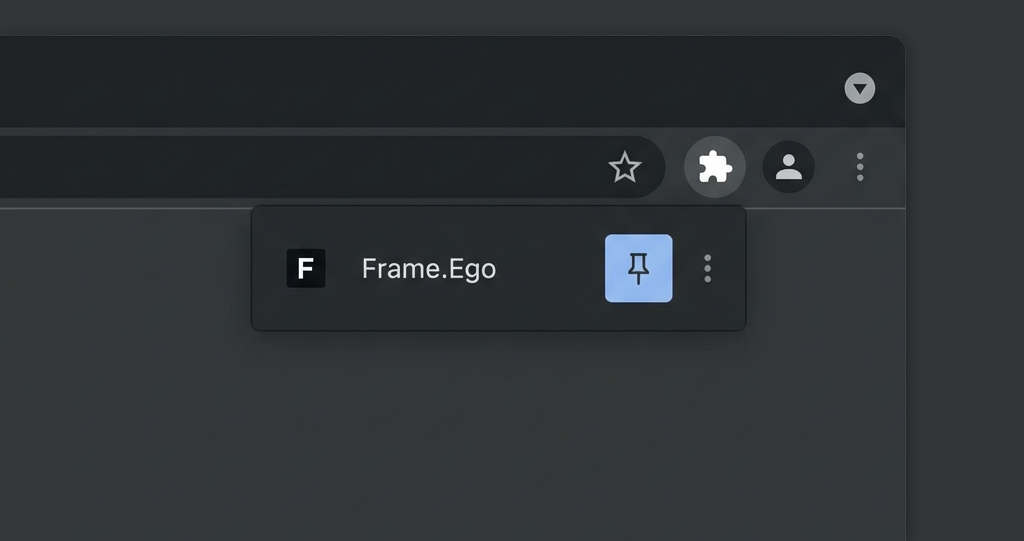
Click the puzzle piece icon in your browser toolbar, find Frame.Ego, and click the pin icon to keep it visible for easy access to the settings.
Installation Complete!
Your edits are now officially legendary. Enjoy your new supportive teammates and a well-deserved ego boost.