The Most Over-Engineered Way to Press a Button
I built an ESP32-powered gadget to press my heating boost button so I wouldn’t have to walk to the kitchen. It spiralled into 3D printing, Home Assistant, an Intel NUC and full voice control. Totally over-engineered, but surprisingly fun.
It started with a tiny, almost embarrassing problem: my central heating required me to walk into the kitchen and hit a one-hour boost button. Seven metres of travel. A whole… ten seconds of effort. Naturally, instead of just getting up and pressing it, I decided to design and build a full IoT system that could do it for me.
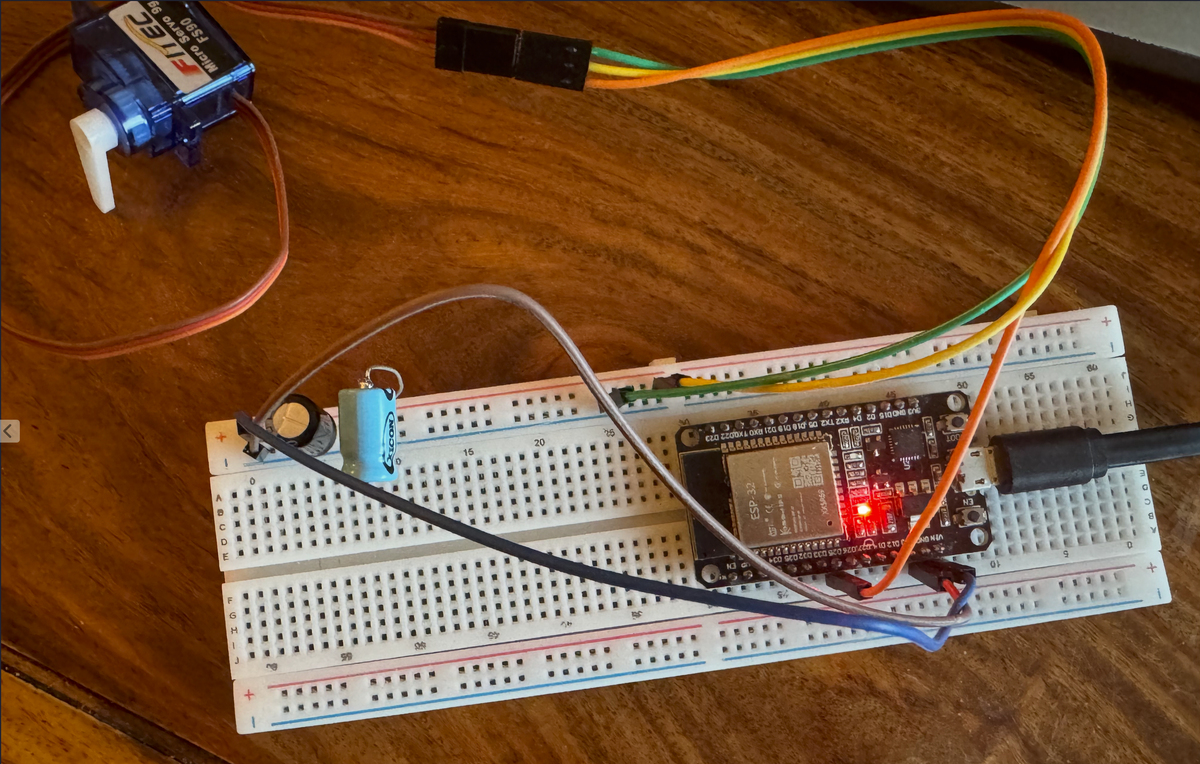
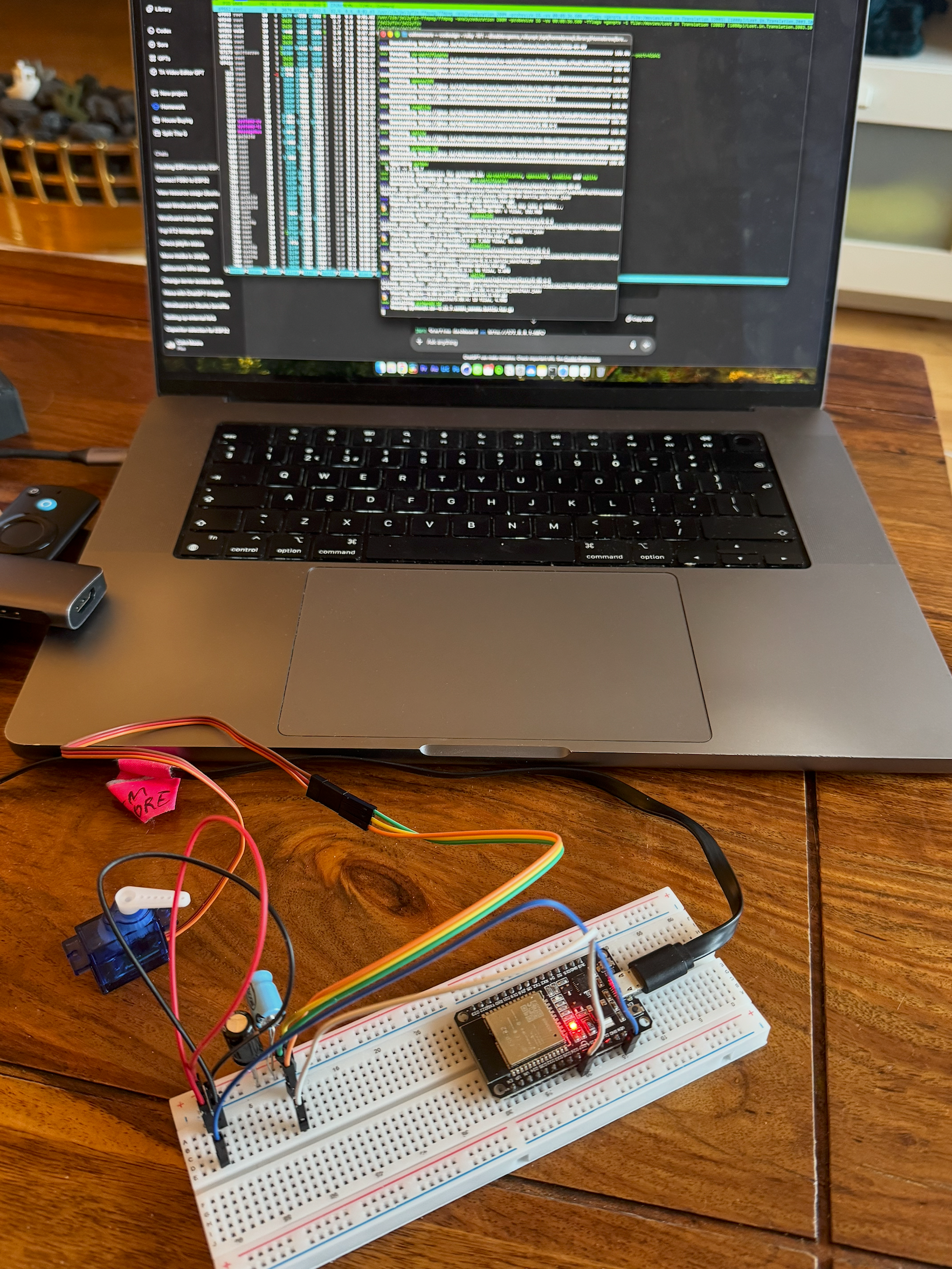
The idea was simple enough. I wanted to trigger that boost button using either Alexa or Home Assistant. The execution, on the other hand, became a small odyssey. I ordered an ESP32 board (one of those tiny Wi-Fi enabled microcontrollers) for under a euro, and paired it with a cheap little servo whose only job would be to twist, tap the thermostat’s button, and return to its starting position. Getting the whole thing working took a surprising amount of trial and error. Flashing firmware, fighting with the Arduino IDE, coaxing the ESP32 onto my Wi-Fi… none of it worked smoothly at first. But eventually I got to the point where a command from my laptop would make the servo twitch on demand. That was the first moment the whole thing felt real.
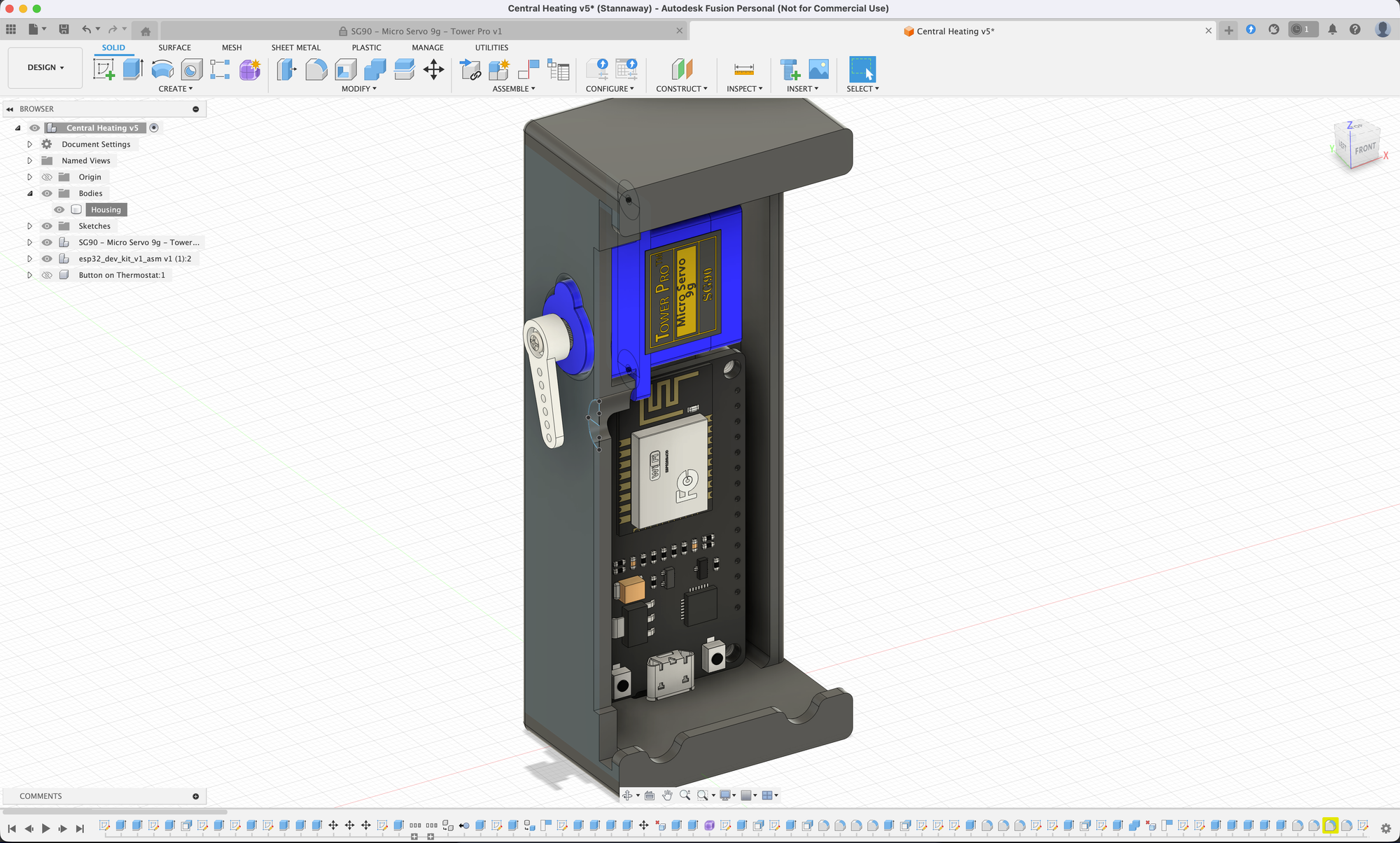
The next phase was making it look like it belonged in my house. I opened Fusion 360 and started designing a compact enclosure that could hide the electronics and hang neatly on the thermostat. I got lucky with the thermostat's shape: it had a subtle lip at the top and bottom that made a perfect mounting point. After a few iterations and a couple of misprints, the final version slid into place so cleanly you’d barely notice it unless you knew what you were looking for. Inside, the servo sat aligned directly over the boost button, waiting to poke it.
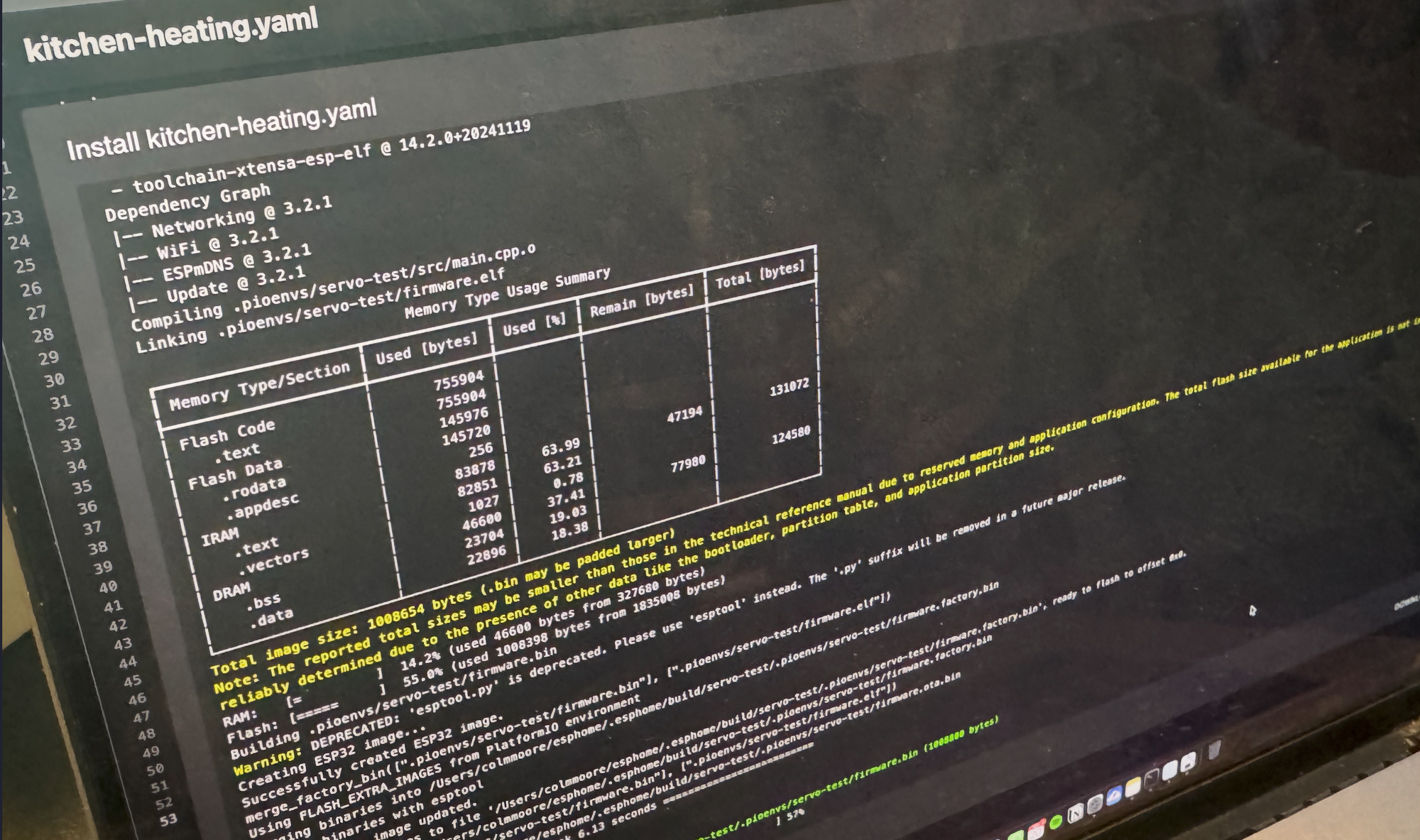
The hardware might have been straightforward, but connecting it to the rest of the smart home was its own adventure. The ESP32 can talk to Wi-Fi, but it doesn’t natively speak Alexa. So I ended up buying an Intel NUC, installing Home Assistant on it, and using that as the brain of the entire setup. Home Assistant turned out to be a rabbit hole of possibilities, but also a patchwork of incomplete documentation, half-explained settings, and forum posts that contradicted each other. I kept tweaking things, adjusting configs, trying random combinations that felt vaguely plausible. Eventually, through sheer stubbornness, I got it working.
The magic moment was enabling a Philips Hue emulation inside Home Assistant. That little trick convinced Alexa that my ESP32 servo gadget was actually a smart light bulb. Alexa knows how to turn lights on, and “on” was all I needed. When I tell Alexa to turn on the heating, Home Assistant receives the command, triggers my faux-Hue device, and the servo swings over to tap the boost button before returning to rest. It’s a beautifully ridiculous chain of events, but it works flawlessly.
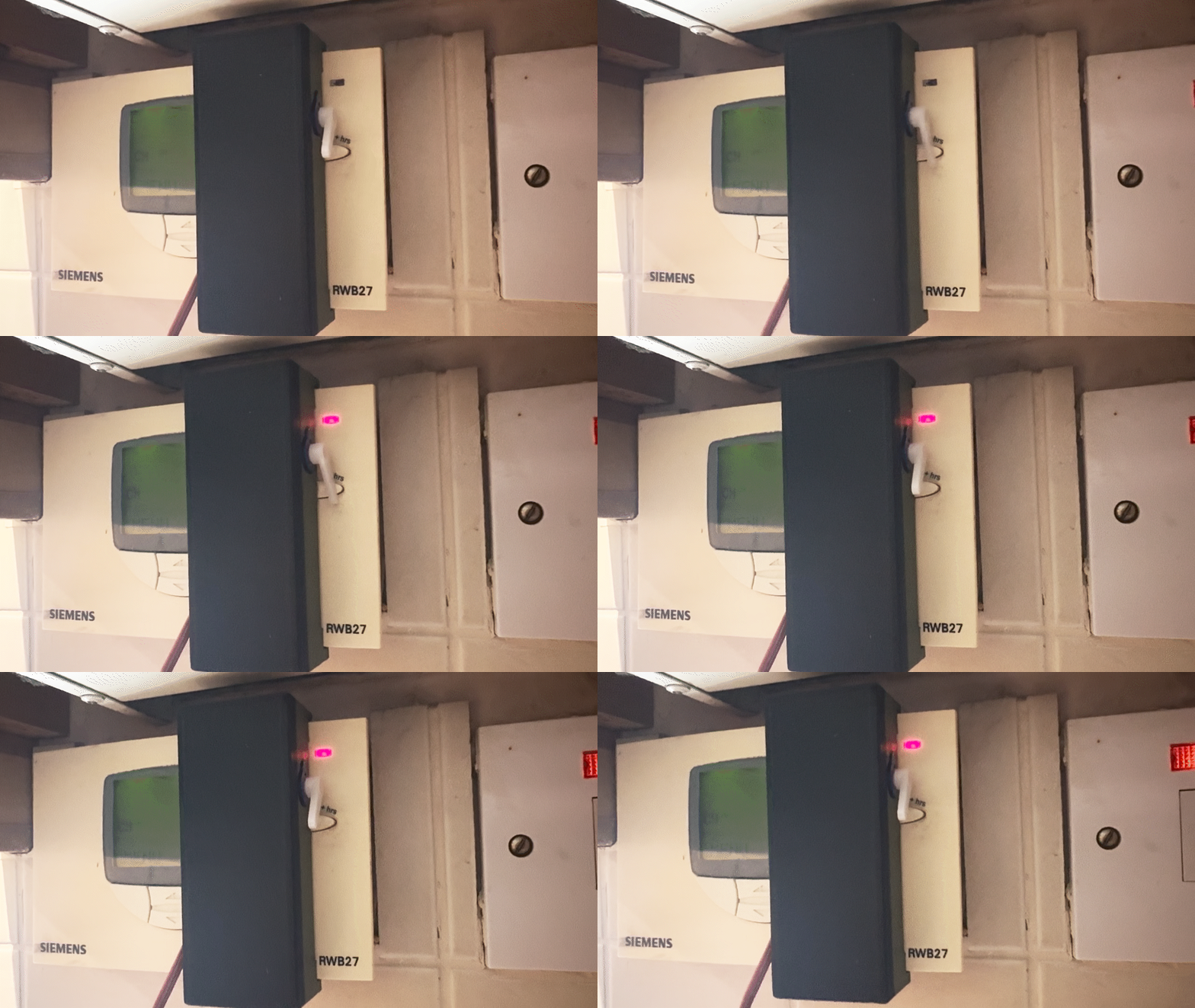
The best part is that once all of this was in place, the possibilities opened up. I can ask Alexa to warm the house. I can have Home Assistant hit the boost automatically when I’m heading home. I can schedule it to run at specific times. And since the NUC was already set up, I turned it into a small home server as well, running a media server and a few other odds and ends. That accidental side benefit alone made the entire project feel worthwhile.
All of this — the ESP32, the servo, the Fusion 360 design, the 3D prints, the Home Assistant install, the NUC, the Hue emulation — just so I wouldn’t have to get off the couch and walk to the kitchen. It’s completely over the top, objectively unnecessary, and absolutely delightful. And now when the heating switches on with a voice command, it feels like a tiny personal victory every single time.
![3D Printed Guitar [Gallery]](https://cdn-images-1.medium.com/max/1200/1*Rnyra596hC_iBw1HUaei6A.jpeg)